
How AI systems improve WooCommerce workflows and reduce manual work in eCommerce.
Many WooCommerce stores run on workflows that were never properly structured. Orders, customer enquiries, internal tasks and data handling often depend on manual processes or disconnected tools.
AI systems make it possible to improve how these workflows operate by reducing friction, automating repetitive tasks and creating a more reliable system behind the store.
Improve how orders, tasks and processes move through the business.
Reduce repetitive work and improve efficiency across the store.
Create a more controlled and scalable way to run ecommerce operations.
Most WooCommerce workflows were never designed. They just evolved over time.
As ecommerce businesses grow, processes become more complex. New plugins are added, tools are connected and manual steps are introduced to “fix” gaps in the system. Over time, this creates a workflow that works, but not efficiently.
The problem is not the platform. It is the lack of structure behind it.
WooCommerce is flexible enough to support complex business models, but most stores rely on layered solutions that were never designed to work together. This leads to inconsistent processes, duplicated work and unnecessary friction across operations.
Many businesses try to solve this by adding more plugins or tools. In reality, this often makes the system harder to manage. The missing piece is not another tool, but a better structure.
This is where AI systems and automation come in — not as add-ons, but as a way to reorganise how workflows operate inside the business.
Layered plugins
Multiple tools solving different parts of the same workflow, often without proper integration.
Manual fixes
Temporary solutions that become permanent processes, increasing workload over time.
No system logic
Tasks are handled differently depending on the situation, with no consistent structure behind them.
AI systems improve WooCommerce workflows by structuring how tasks are handled, not just automating them.
The main benefit is not speed alone. It is clarity. When workflows are structured properly, the business becomes easier to manage, more predictable and more scalable.
AI systems do not replace workflows. They make them more consistent and reliable.
Instead of relying on manual steps or disconnected tools, AI systems define how tasks should move through the business.
This reduces variation, improves accuracy and removes unnecessary friction.
In ecommerce, this often means combining automation, custom plugins and broader AI systems into a single structured workflow.
When this is done properly, the store becomes easier to operate, easier to scale and less dependent on manual intervention.
Clear process flow
Define how tasks move through the system instead of relying on ad-hoc decisions.
Reduced manual work
Automate repetitive tasks so the team can focus on higher-value activities.
Better system connections
Ensure tools and platforms communicate properly instead of working in isolation.
Consistent outcomes
Reduce errors and variation by standardising how tasks are handled.
How AI systems improve real WooCommerce workflows in practice.
These are common ecommerce workflows where AI systems and automation make a clear difference in how the business operates.
Order processing and internal handling
Many stores rely on manual steps to process orders, update statuses or handle internal workflows. AI automation can structure this process so orders move through the system automatically with fewer manual interventions.
This often connects with automation systems and custom logic inside WooCommerce.
Customer support and enquiry handling
Repeated questions, delayed responses and inconsistent handling of enquiries can slow down the business. AI workflows help structure how requests are handled and improve response consistency.
In some cases, this connects with broader AI systems that manage communication flows more efficiently.
Product data and content workflows
Stores that depend on large amounts of product data often struggle with updates, consistency and manual input. AI systems can help structure how data is processed and maintained.
This can also involve custom plugins to handle specific data requirements.
System integration and data flow
Many ecommerce setups depend on multiple tools that do not communicate properly. AI automation can connect these systems and create a more reliable data flow across the business.
This often works alongside WooCommerce development to ensure proper integration.
Real projects where AI systems and workflow improvements were implemented.
These examples show how structured systems, automation and custom development improve real ecommerce and WordPress setups in practice.
 WORKFLOW SYSTEM
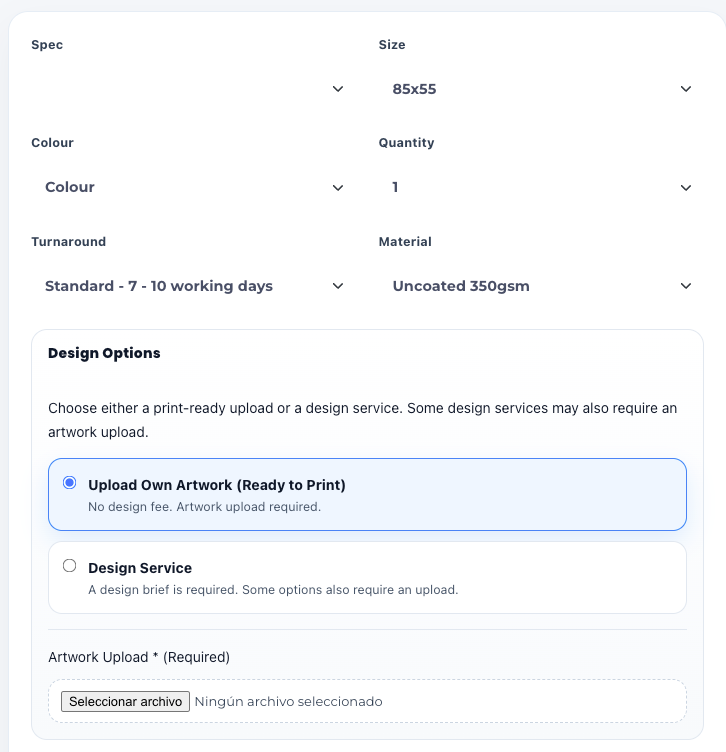
Improving WooCommerce workflows with custom pricing and automation
A store with complex product logic needed a more structured workflow. Custom systems reduced manual handling and improved how orders were processed.
View case study AUTOMATION
Automation workflows for handling data and internal processes
A platform required better control over data and internal workflows. Automation created a more consistent and reliable system across the business.
View case studyImproving WooCommerce workflows starts with understanding how the current system actually behaves.
The goal is not to automate everything. The goal is to identify where friction appears, what should be handled differently and how the workflow can be improved without adding unnecessary complexity.
Analyse the workflow
Understand how orders, tasks, data and internal actions currently move through the business.
Identify the friction
Find what is causing delays, manual work, inconsistency or poor system behaviour.
Define the right structure
Decide whether the improvement requires automation, custom plugin logic or wider system changes.
Implement and refine
Build the solution and improve it based on real usage so the workflow remains useful and reliable over time.
Common questions about AI systems and WooCommerce workflows.
These are the questions that usually come up when ecommerce businesses start looking at workflow improvements more seriously.
What is an AI system in a WooCommerce workflow?
It is a structured system that helps automate tasks, improve workflow logic and reduce manual work across the store and the wider business.
Does this only apply to large WooCommerce stores?
No. Workflow problems can appear in smaller stores too, especially when manual work, repeated tasks or disconnected tools start slowing things down.
Are AI systems the same as automation tools?
Not exactly. Automation tools can be part of the solution, but AI systems usually involve a wider structure that improves how workflows operate overall.
Can AI improve existing WooCommerce workflows?
Yes. In most cases, the work is applied to an existing WooCommerce setup and adapted to how the store already operates.
What kind of workflows are usually improved first?
Common starting points include order handling, customer support, data movement, internal tasks and processes that still rely too heavily on manual work.
What is the best way to get started?
The best place to start is to describe your current workflow and identify where time is being lost or where the system is creating friction.
If your WooCommerce workflows are slowing the business down, the next step is structuring them properly.
Most workflow problems are not caused by the platform itself. They are caused by the way tasks, tools and processes have grown without enough structure behind them.
The right solution may involve AI systems, automation, custom plugins or broader WooCommerce development, depending on what the workflow actually needs.
Start from the workflow
Identify where the current system creates friction.
Improve the structure
Build a more consistent way for tasks and processes to operate.
Connect the right systems
Use automation, plugin logic or system design where they actually add value.
Scale with less friction
A better workflow makes the whole ecommerce operation easier to manage.