Custom WooCommerce plugins for stores that need functionality built around real business logic.
I build custom WooCommerce plugins for businesses across the UK that need more than off-the-shelf plugin setups. This can include pricing logic, product workflows, checkout behaviour, admin tools, integrations and tailored functionality built specifically for how the store operates.
In many cases, the problem is not that WooCommerce cannot do the job. The problem is that the standard plugin ecosystem creates limits, conflicts or unnecessary complexity. Custom plugin development makes more sense when the store needs stronger control, cleaner logic and a more reliable technical foundation.
Custom plugins are usually needed when the store depends on functionality that standard plugins cannot handle properly, or when combining multiple plugins creates instability, limitations or unnecessary admin friction.
Pricing systems, product configuration logic, custom admin interfaces, order workflows, account features, API integrations and tailored tools built directly for the WooCommerce setup.
This work often connects with broader WooCommerce development, AI systems and real case studies where custom logic improved how the store actually works.
Custom WooCommerce plugins are usually needed when the store starts depending on logic that standard plugins were never designed to handle properly.
Many WooCommerce stores work well at the start with standard plugins and a simple setup. The problem usually appears later, when the business needs more control, more specific workflows or functionality that does not fit the assumptions built into generic tools.
The issue is rarely “missing a plugin”. The real issue is that the store needs functionality shaped around the business instead of forcing the business to adapt to generic plugin behaviour.
That often happens when the store needs more advanced product logic, more structured order handling, tailored pricing behaviour or internal admin tools that support how the business actually operates. At that point, adding more plugins usually increases complexity rather than solving the underlying limitation.
Custom WooCommerce plugin development creates a cleaner and more controlled way to build those features directly into the store. Instead of layering multiple tools together, the functionality is designed around the real process, the actual requirements and the long-term stability of the platform.
In some cases, this work also connects directly with AI systems, automation or wider WooCommerce development, especially where the plugin is only one part of a broader technical workflow.
Too many plugins
Stores often reach a point where too many plugin dependencies create conflicts, inconsistent behaviour or extra admin work.
Logic built around the store
Custom plugins make more sense when the functionality needs to match the business precisely instead of approximating it.
Cleaner long-term structure
A tailored solution usually creates a more stable WooCommerce setup than trying to assemble the same behaviour through multiple generic tools.
Custom WooCommerce plugins can solve very different types of problems, but they usually sit around pricing, product logic, admin flow and system integration.
Not every plugin project looks the same. Some stores need one focused tool. Others need deeper plugin logic that becomes part of a wider WooCommerce development setup. The common point is that the plugin needs to support a real business requirement rather than add another layer of generic functionality.
Most plugin projects are built to control something the store cannot manage properly with standard tools.
That might be a pricing system with custom rules, a product configuration tool, a more specialised checkout flow, a tailored admin interface or a workflow that connects WooCommerce with other parts of the business. The plugin becomes useful when it handles that requirement in a cleaner and more reliable way than a mix of off-the-shelf tools.
In more advanced setups, the plugin is not just an isolated add-on. It becomes part of how the store operates. That is often the case in projects involving ordering logic, internal handling, product rules, integrations or AI-supported workflows where the store needs stronger structure behind the scenes.
The goal is always the same: build something that fits the real process, is maintainable long-term and makes the store easier to operate as the business grows.
Pricing & product rules
Custom pricing logic, quantity rules, calculated options, product dependencies and advanced variation behaviour.
Checkout & account behaviour
Tailored checkout steps, user-specific logic, account features and store behaviour that fits the real customer journey.
Admin tools & workflows
Internal interfaces, custom data handling and admin-side tools that make day-to-day store management more efficient.
Integrations & connected systems
Plugin functionality that links WooCommerce with APIs, internal tools or broader automation systems.
Custom WooCommerce plugins are applied where the store depends on structured logic, not just product display.
These projects are not about visual changes. They are about how the store works behind the scenes, how data flows and how different systems connect together.
Product configuration systems
Complex product options, dependencies and logic that go beyond standard WooCommerce variation handling.
Custom ordering workflows
Tailored order handling, validation and processing based on how the business actually fulfils orders.
Internal admin tools
Custom dashboards and internal tools that reduce manual work and improve day-to-day operations.
Integrations & systems
Connections with APIs, CRMs or AI systems where reliable data flow is critical.
When the store becomes operationally complex, the technical layer needs to evolve with it.
At a certain stage, the store is no longer just a catalogue with a checkout. It becomes part of a wider system involving internal processes, customer flows, integrations and data handling.
Instead of forcing the business to adapt to generic plugin behaviour, custom development allows the system to reflect how the business actually operates. This creates a more stable and scalable structure.
This work often overlaps with WooCommerce development, where the plugin becomes part of a broader technical system.
Custom plugin work becomes much easier to understand when it is tied to a real WooCommerce problem with real operational impact.
The best plugin projects are not feature requests in isolation. They solve a business constraint that standard WooCommerce tools cannot handle properly, and they do it in a way that makes the store easier to run over time.
 CASE STUDY
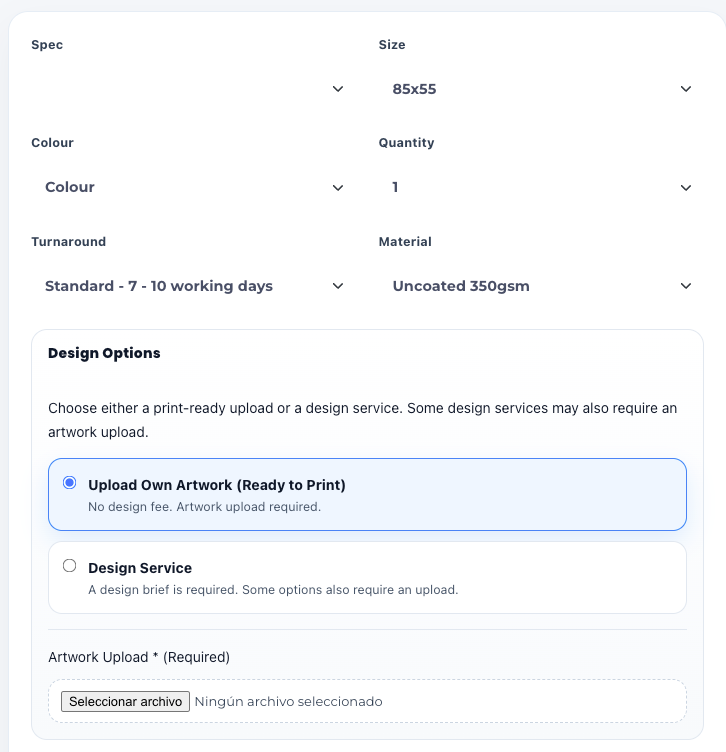
Custom WooCommerce plugin for advanced print pricing, product logic and admin-side control
This project required functionality that standard WooCommerce plugins could not support cleanly. The store needed complex pricing rules, product-specific logic, configurable options and a more structured way to handle how prices were generated and managed.
Instead of stacking generic plugins together, the solution was built as a tailored WooCommerce plugin designed around the real workflow of the business. That gave the store more control, reduced complexity and created a much cleaner operational setup.
View case studyCustom plugins are often the right answer when logic matters more than layout.
The value is not in “having a plugin”. The value is in building the right technical behaviour directly into the store instead of forcing the process through generic tools.
Better control, less admin friction, cleaner long-term structure
This is usually where WooCommerce development and plugin work overlap, especially in stores that need stronger structure behind the scenes.
Some plugin projects also connect to automation and AI systems
Where the store is part of a wider process, custom functionality can also sit alongside AI systems, workflow automation and connected business logic.
Most custom plugin projects do not begin with a perfect specification. They begin with a store limitation that standard tools are not handling well.
In many cases, the business already knows something is not working properly. The issue may look like a plugin conflict, a pricing problem or an awkward workflow, but the real need is often a more structured technical solution built specifically for how the store operates.
The right plugin starts with understanding the business logic first, not with writing code immediately.
Stores often already have plugins, workarounds and manual steps in place. Adding one more plugin without understanding the real requirement usually makes the setup harder to maintain and less reliable over time.
That is why the first step is clarifying exactly what the store needs to do, what the current setup cannot handle properly and whether the best solution is a focused plugin, broader WooCommerce development project or part of a wider system connected to automation and AI.
Clarify the store limitation
Identify where the current setup fails: pricing, product rules, admin flow, checkout logic or integration behaviour.
Define the right plugin scope
Decide whether the solution should be a focused custom plugin or part of a wider technical build across the store.
Build for long-term use
The plugin should be stable, understandable and maintainable, not just a quick fix that creates more technical debt later.
Custom WooCommerce plugin work does not follow fixed pricing. The scope depends on how complex the logic, workflow and technical requirements actually are.
Some plugin projects solve one clearly defined problem. Others sit inside a wider store setup involving pricing systems, product rules, integrations or operational workflows. The investment depends on what the plugin needs to control and how central it is to the way the store runs.
Focused custom functionality
Suitable where the requirement is contained, clearly defined and limited to one technical area of the store.
Logic that affects multiple parts of the store
More appropriate when pricing, products, checkout flow, admin tools or integrations all need to work together cleanly.
Plugin work as part of a larger technical build
In some cases, the plugin is only one layer inside broader WooCommerce development or connected AI systems.
The point is not to force plugin work into a package. The point is to define the right technical scope for the store.
A simple plugin requirement with one clear function usually sits at a lower level of complexity. A plugin that controls pricing logic, ordering behaviour, admin workflows or connected systems is a very different kind of project, because it affects how the store operates on a day-to-day basis.
That is why custom WooCommerce plugin work is scoped around the actual business requirement, not around a generic pricing table. The plugin has to be built around the store, the workflow and the long-term structure of the platform, not just around a list of requested features.
In practice, the strongest projects start with understanding the real constraint first. Once that is clear, it becomes much easier to define the level of work, the plugin scope and whether the project should remain focused or connect to wider development work.
Common questions about custom WooCommerce plugin development.
These are the questions that usually come up before starting a custom plugin project. The answers focus on how things work in practice rather than theoretical explanations.
Do I really need a custom plugin?
Not always. If a standard plugin can handle the requirement cleanly, it is usually the better option. Custom development makes sense when the logic cannot be implemented properly without workarounds or complexity.
Can the plugin be integrated into my existing WooCommerce store?
Yes. Most projects are built on existing stores. The plugin is developed to fit the current setup, rather than requiring a full rebuild unless the structure itself needs to change.
Will it replace existing plugins?
In many cases, yes. Custom plugins are often used to reduce dependency on multiple tools and create a more stable, controlled environment.
Can this connect with other systems or APIs?
Yes. Custom plugin development often includes integrations with APIs, CRMs or AI systems where data needs to move between different tools reliably.
Is this only for large ecommerce businesses?
No. The need for a custom plugin depends on the complexity of the requirement, not the size of the business. Even smaller stores may benefit if the workflow is specific enough.
What is the first step to get started?
The first step is understanding the requirement clearly. Once the logic is defined, it becomes much easier to decide whether the solution should be a custom plugin, a broader WooCommerce development project or part of a wider system.
If the store needs functionality that standard plugins cannot handle properly, the next step is to define the logic clearly.
The right custom plugin starts with understanding what the store needs to do, where the current setup breaks down and whether the requirement belongs in a focused plugin, wider WooCommerce development project or connected system workflow.
If the store already depends on workarounds, conflicts or repetitive admin handling, it is usually a sign that the technical structure needs to be simplified rather than extended with more generic tools.
Clearer plugin scope
Define whether the requirement is a focused plugin or part of a broader technical system.
Less plugin dependency
Reduce unnecessary tool stacking and replace unstable workarounds with cleaner logic.
WooCommerce-specific thinking
Build around how the store actually operates, not around what a generic plugin happens to allow.
Better long-term structure
The goal is not just to add functionality, but to create a more reliable and maintainable store.